


Planoly has been one of the strongest Instagram-first visual planners in the category for over a decade. For solo IG-first creators on a tight budget, Planoly's $16/mo Starter plan is one of the lowest entry prices in the visual-planner category.
What Planoly does well:
- Instagram grid planner — drag-and-drop visual feed preview, widely regarded as best-in-class for aesthetic curation
- Free Link in Bio included on every paid plan
- Automate Instagram DMs — ManyChat-style DM flows for IG
- Sellit creator commerce — sell digital and physical products without a separate Shopify/Stripe stack
- Official Instagram and Pinterest partner
But as your workflow expands beyond a single Instagram account, the gaps start to show:
- Only 7 platforms with direct auto-publish (Instagram, Facebook, TikTok, Pinterest, LinkedIn, YouTube, Threads). X and Amazon Posts are reminder-only; no Bluesky or Google Business
- 60-upload/month cap on Starter plus 1 user and 1 social set
- No social inbox (outside IG DM automation), no AI image generation, no approval workflows, no white-label reports
- Reliability complaints recur — Trustpilot 3.6/5 ("Average") from 58 reviews with a "hasn't replied to negative reviews" flag, while G2 sits at 4.3/5
Whether you're scaling beyond the 60-upload cap, want broader platform coverage including Bluesky, need AI image generation, or want a more reliable publishing engine, there are strong alternatives worth considering.
Quick Answer: What Is the Best Planoly Alternative in 2026?
For most agencies, teams, and businesses leaving Planoly, the best alternative is PostPlanify.
Why PostPlanify wins:
- Flat pricing — Growth $99/mo, Premium $199/mo, Scale $299/mo
- All 10 platforms including Bluesky and Google Business — Planoly supports neither
- Approvals on Premium
- X with direct auto-publish — Planoly's X is reminder-only
- AI image generation — 200/400/800 per month on Growth/Premium/Scale (Planoly has none)
- Social inbox with AI Replies on every paid plan
- Multi-approver approval workflows on Premium — Planoly has none
- White-label PDF reports on Scale
- MCP support for Claude/ChatGPT/Gemini/Copilot on every paid plan
- 14-day money-back guarantee
Quick picks by use case:
- Later ($25/mo) — direct IG visual planner replacement with drag-and-drop grid and Linkin.bio
- Sked Social ($29/mo) — IG aesthetic curation + shoppable Sked Link with native IG product tagging
- Tailwind ($24/mo) — Pinterest specialist with SmartLoop and Tribes
- Publer ($21/mo Business) — DALL-E 3 image generation + 13 platforms at budget pricing
How I Tested These Planoly Alternatives
I tested 12 social media management tools across 6 evaluation categories: pricing transparency, visual planning workflow, reliability, platform coverage, AI capabilities, and creator commerce features.
-
Scoring methodology. Each tool was scored on a 1–5 scale per category. Final rankings weight pricing structure 25%, visual planning + IG features 20% (critical for Planoly replacement workflows), features 20%, reliability 15%, platform coverage 10%, and support 10%. Planoly-specific pain points (reliability complaints, 60-upload/mo Starter cap, no Bluesky, X reminder-only, no AI image gen, no social inbox, no approvals) were used as comparison anchors.
-
Review analysis. I cross-referenced verified user reviews across G2, Capterra, and Trustpilot to surface the most common praise and complaints for each tool.
-
Pricing sources. Every pricing claim in this article is sourced directly from each vendor's public pricing page and verified in May 2026. Where pricing varies by billing period, I use monthly prices unless stated otherwise.
Last updated: May 2026.
Quick Comparison: Best Planoly Alternatives at a Glance
| Tool | Starting Price | Best For | Platforms | Free Plan |
|---|---|---|---|---|
| PostPlanify | $99/mo (flat) | Teams wanting full SMM + Bluesky + AI images | 10 | 7-day trial |
| Later | $25/mo | Direct IG visual planner replacement | 8 | Limited free plan |
| Sked Social | $29/mo | IG grid + Sked Link shopping | 9 | 14-day trial |
| Buffer | Free / $6/channel/mo | Simplicity + 11 platforms incl. Bluesky | 11 | Yes (3 channels) |
| Tailwind | $24/mo | Pinterest-first creators | 3 | Limited free plan |
| Publer | Free / $12/mo | Budget AI + 13 platforms | 13 | Yes |
| Iconosquare | $39/mo | Deep Instagram analytics | 9 | Yes (2 profiles) |
| SocialBee | $29/mo | Evergreen content recycling | 10 | 14-day trial |
| Pallyy | Free / $15/mo | Budget visual planner | 9 | Free plan available |
| Loomly | $42/mo | Visual workflow + approvals | 10 | 15-day trial |
| Metricool | Free / $22/mo | Multi-platform analytics + scheduling | 9+ | Yes |
| Planable | Free / $39/workspace/mo | Visual content approval | 9 | Free (50 posts) |
Why People Switch From Planoly
Before exploring alternatives, it helps to understand the specific reasons users look beyond Planoly. The 4.3 G2 vs 3.6 Trustpilot split tells the story — visual planning is consistently praised, but reliability and feature gaps push users to look elsewhere.
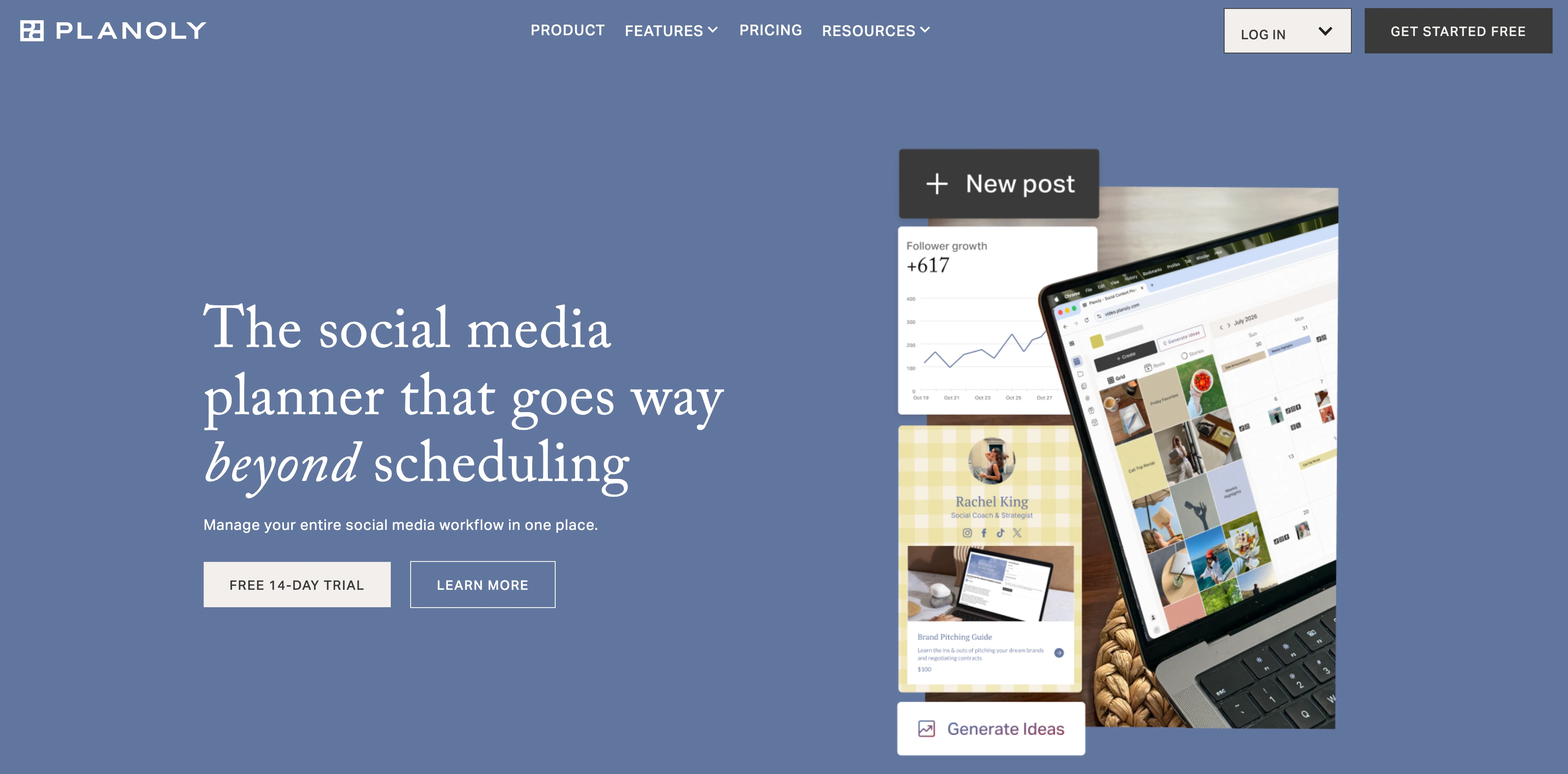
-
Reliability is the most-cited reason to leave. Posts failing to auto-publish, account disconnection requiring desktop reconnect, and links to socials expiring are recurring complaints. A 2-star Trustpilot review from Christian (May 5, 2026) states: "This app constantly fails and the links to socials expire all the time, but you can't reconnect on your phone — you have to log in on a desktop! Then posts fail for a myriad of different reasons…" This isn't an isolated 2026 issue — Nicole E. on G2 (Owner, Small-Business, Aug 11, 2022, 3.5/5 review titled "Not quite reliable") wrote: "I found posts were not auto scheduling frequently. I manage multiple accounts so when content wasn't auto posting I'd have to go back in and manually post everything which defeated the purpose of why I opted to use Planoly in the first place." Four years apart, same complaint.
-
Trustpilot flags "hasn't replied to negative reviews." This is a known support-responsiveness signal. While some Trustpilot users (like SR in June 2023) report Planoly engaging fully to resolve issues after escalation, the platform's standing flag on Trustpilot indicates inconsistent response to negative feedback.
-
The 60-upload/mo cap on Starter. Planoly's $16/mo Starter plan limits you to 60 posts per month and a single social set / single user. For creators posting daily across multiple platforms, this is a hard ceiling — you have to upgrade to Growth ($28/mo) or Pro ($55/mo) just to remove the cap.
-
No Bluesky, no Google Business, X is reminder-only. Planoly publishes to 7 platforms directly (Instagram, Facebook, TikTok, Pinterest, LinkedIn, YouTube, Threads). X (Twitter) requires manual push-notification confirmation, Bluesky isn't supported at all, and Google Business isn't supported. Most modern competitors cover at least one of these.
-
No social inbox, no AI image generation, no approvals. Planoly's Automate Instagram DMs handles IG-only DM flows but isn't a real social inbox. There's no AI image generation on any tier (Smart AI Composer handles captions only). There are no approval workflows for team or client review. For agencies and teams, these are dealbreakers.
-
Analytics depth is flagged in G2's own review summary. G2's auto-generated review summary explicitly notes "some users note that the analytics features could be more comprehensive." Planoly's analytics are oriented around IG engagement, not multi-platform performance — and there's no historical trend depth, no period comparison, no competitor benchmarking.
-
Mobile reconnect requires desktop. Multiple reviewers (including the May 2026 Trustpilot complaint) flag that when an account disconnects, you have to log in on desktop to reconnect — you can't fix it from the mobile app. For creators who manage their workflow primarily on mobile, this is friction.
Planoly holds 4.3/5 on G2 (67 reviews) and 3.6/5 on Trustpilot (58 reviews — "Average"). Read our full Planoly reviews analysis and Planoly pricing breakdown for deeper context.
For a detailed side-by-side breakdown, see our Planoly vs PostPlanify comparison.
1. PostPlanify — Best Overall Planoly Alternative
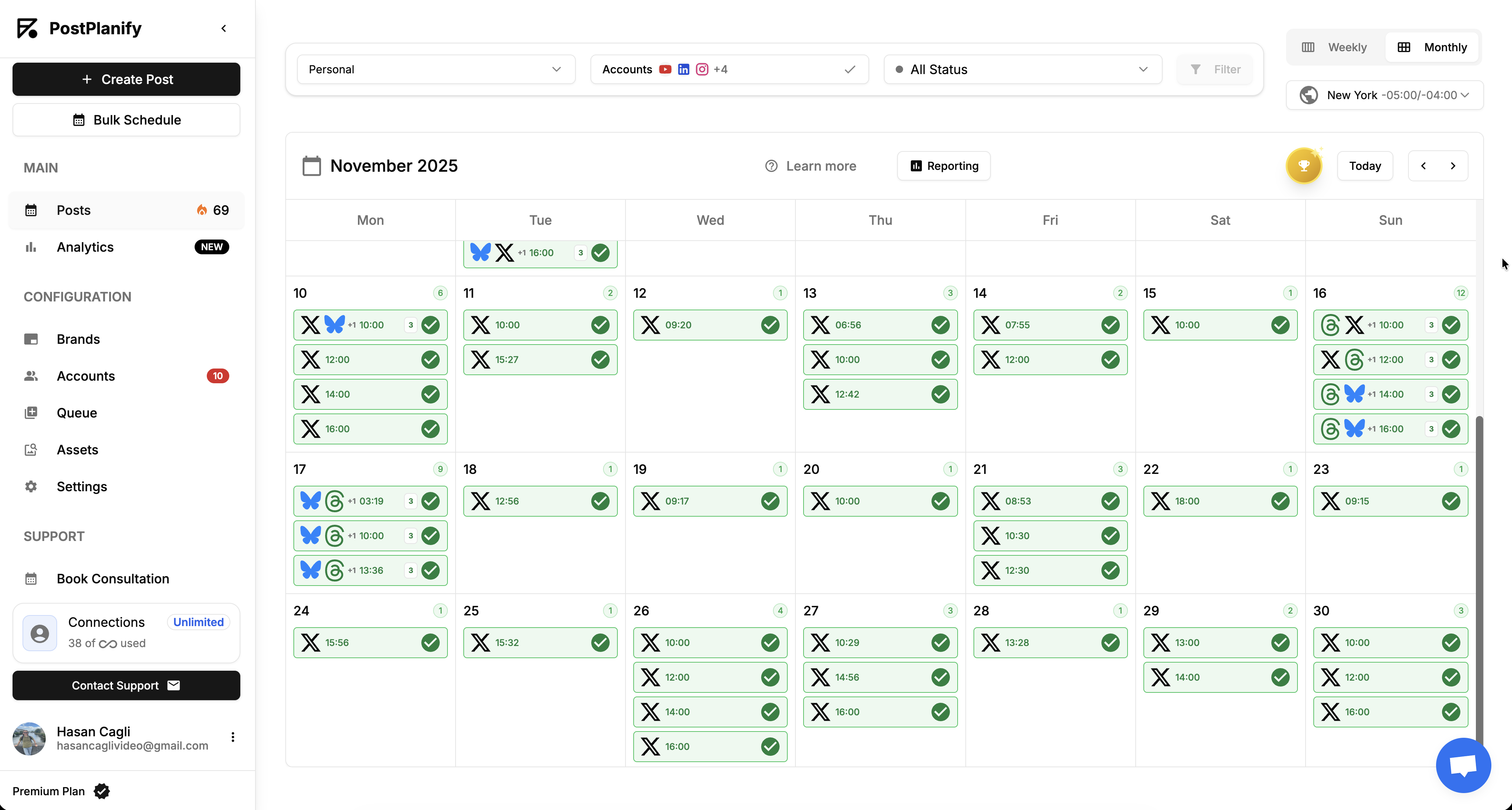
At a glance — PostPlanify
- Platforms: 10 — Instagram, Facebook, LinkedIn, X, YouTube, TikTok, Pinterest, Threads, Bluesky, and Google Business
- Free trial: 7 days + 14-day money-back guarantee
- Best for: Agencies, teams, and businesses scaling beyond Planoly who want all 10 platforms (including Bluesky and Google Business that Planoly doesn't support), AI image generation, social inbox, approvals, and white-label reports — backed by a 14-day money-back guarantee
PostPlanify is a social media management platform built for agencies, teams, and businesses who want the full social workflow — publishing, analytics, social inbox, AI captions and image generation, approvals, and white-label reports — under flat tiered pricing.
PostPlanify Pricing
| Plan | Monthly | Social Accounts | Users |
|---|---|---|---|
| Growth | $99/mo or $79/mo billed yearly | 15 | 3 |
| Premium | $199/mo or $159/mo billed yearly | 30 | 6 |
| Scale | $299/mo or $239/mo billed yearly | 100 | 12 |
| Enterprise | Custom | Custom | Custom |
All plans include unlimited posts (no 60-upload cap), content calendar, vision-powered AI assistant, social inbox, link-in-bio, integrations, a 7-day free trial, and a 14-day money-back guarantee.
Key Features
- Content calendar: Plan, edit, and reschedule all your posts from one calendar
- 10 platforms supported: Instagram, Facebook, LinkedIn, X (Twitter) with direct auto-publish, YouTube, TikTok, Pinterest, Threads, Bluesky (Planoly doesn't), Google Business (Planoly doesn't)
- Full analytics across all 10 platforms (Growth+): Track performance, engagement, growth, and historical trends — depth Planoly's own G2 summary flags as a gap
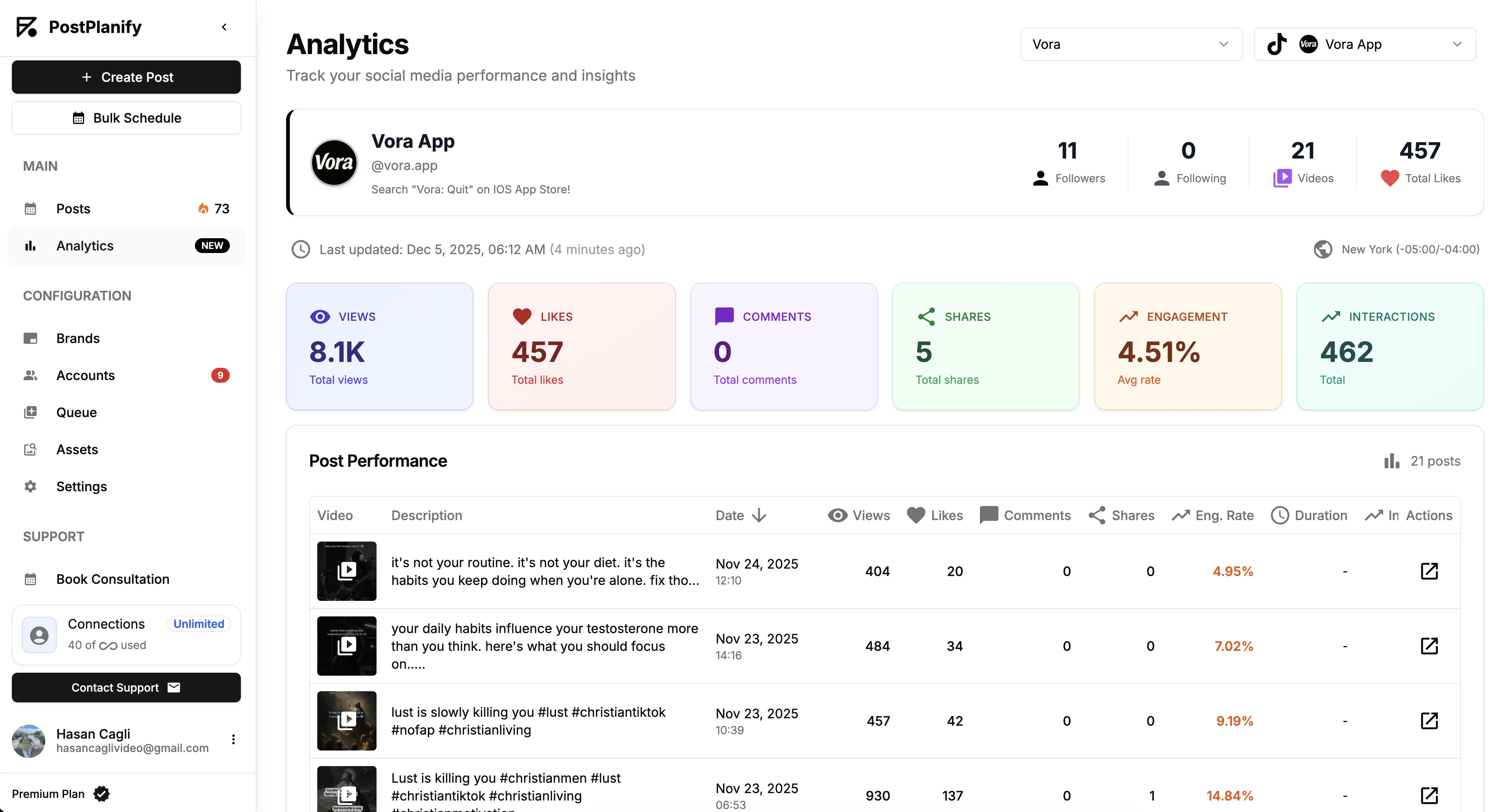
- Social inbox with AI Replies (Growth+): Two-way replies on Instagram, Facebook, LinkedIn, Google Business, and YouTube with labels and team assignments — Planoly only has IG DM automation
- AI assistant (Growth+): Vision-powered AI for caption generation, plus AI image generation — 200/400/800 images per month on Growth/Premium/Scale. Planoly has no AI image generation on any tier
- Bulk scheduling (Growth+): Schedule up to 20 posts at once
- Multi-approver approval workflows (Premium+): 6 users on Premium, 12 on Scale, with shared calendars and roles. Planoly has no approval workflows
- White-label PDF reports (Scale+): Branded performance reports with shareable links. Planoly has no white-label reports
- Media library: Canva, Google Drive, Dropbox, and Unsplash integrations inside the composer
- Link-in-bio builder: 8 themes, click analytics, included on every plan
- MCP support: Claude, ChatGPT, Gemini, and Copilot integration on every paid plan
- API access: Automate from your own tools
What PostPlanify Does Better Than Planoly
- All 10 platforms supported — including Bluesky and Google Business that Planoly doesn't support
- X (Twitter) direct auto-publish — Planoly's X is reminder-only
- AI image generation included — Planoly has no AI image generation on any tier
- Full social inbox — Planoly only has IG DM automation
- Approval workflows on Premium — Planoly has no approval workflows
- White-label PDF reports on Scale — Planoly has no white-label reports
- Unlimited posts on every plan — Planoly Starter caps at 60 uploads/month
- 14-day money-back guarantee — Planoly offers "Try It Free" trial but no money-back
- Multi-platform analytics depth — Planoly's analytics are flagged in G2's own summary as a gap
Where Planoly Is Still Stronger
- Sellit creator commerce — sell digital and physical products directly from Planoly; PostPlanify doesn't have a built-in commerce layer
- Automate Instagram DMs — ManyChat-style IG DM automation is a core Planoly feature; PostPlanify's social inbox handles replies but not automated DM flows
- Lower entry price — Planoly Starter at $16/mo vs PostPlanify Growth at $99/mo (though PostPlanify Growth includes 15 accounts and 3 users vs Planoly Starter's 1 social set + 1 user)
- Amazon Posts support — Planoly is one of the few tools that supports Amazon Posts (reminder-only)
For a detailed feature comparison, visit our Planoly alternative page.
 PostPlanify
All your social media in one simple dashboard
Schedule posts, track analytics, and reply to comments/DMs without switching tabs.

Engagement
+18%
Views
52.8k
2. Later — Best Direct Visual Planner Replacement

At a glance — Later
- Platforms: 8 (Instagram, Facebook, Threads, Pinterest, TikTok, LinkedIn, YouTube, Snapchat — no X/Twitter, no Google Business)
- Free trial: Limited free plan available
- Best for: Instagram-first creators who want a direct Planoly replacement — Later's drag-and-drop grid planner is the closest like-for-like to Planoly's, with more mature influencer marketing tools
Later is the closest direct alternative to Planoly. Both are Instagram-first visual planners built around drag-and-drop grid preview, both offer link-in-bio tools (Later's Linkin.bio vs Planoly's Free Link in Bio), and both target creators and small brands. If your primary workflow on Planoly is grid planning + Link in Bio, Later is the most natural switch.
Later Pricing
| Plan | Price | Social Sets | Users |
|---|---|---|---|
| Starter | $25/mo | 1 (up to 8 profiles) | 1 |
| Growth | $50/mo | 2 (up to 16 profiles) | 2 |
| Scale | $110/mo | 6 (up to 48 profiles) | 4 |
Key Features
- Visual content calendar with drag-and-drop scheduling
- Instagram grid planner and feed preview
- Linkin.bio tool — Later's link-in-bio with product tagging
- Social inbox on Growth plan and above
- Approval workflows on Advanced and Scale plans
- AI caption writing
- Hashtag suggestions and best time to post
- Influencer marketing tools (Tagger, CreatorIQ-style features)
How It Compares to Planoly
Later and Planoly are nearly perfect peers — both Instagram-first, both built around visual grid planning, both offering shoppable link-in-bio. The differences:
- Platforms: Later supports 8 (no X/Twitter, no Google Business); Planoly supports 9 with X reminder-only and Amazon Posts reminder-only.
- Influencer tools: Later's Tagger and influencer marketing tools are more mature than Planoly's. For creator-economy users who collaborate with brands, Later wins.
- Commerce: Planoly's Sellit lets you sell digital + physical products directly inside the app. Later doesn't have a built-in commerce layer — it leans on Linkin.bio for shoppable links instead.
- Reliability: Both tools have reliability complaints. Later's Trustpilot is 1.7/5 ("Bad") meaningfully below its 4.5 G2; Planoly's 3.6/5 ("Average") splits with its 4.3 G2.
Note: Later dropped X/Twitter support in 2023 and doesn't support Google Business. Common complaints across Later's Trustpilot focus on auto-renewal billing and support responsiveness.
What users say: 4.5/5 on G2 (347 reviews), 1.7/5 on Trustpilot ("Bad"). G2 users praise visual planning; Trustpilot complaints focus on auto-renewal billing.
For more details, see our Later alternative page, Later pricing breakdown, and Later reviews.
3. Sked Social — Best for IG Grid + Sked Link Shopping
At a glance — Sked Social
- Platforms: 9 (Instagram, Facebook, TikTok, Pinterest, LinkedIn, YouTube, Threads — X is reminder-only, no Bluesky)
- Free trial: 14-day trial
- Best for: Aesthetic-focused Instagram creators with shoppable content workflows — Sked Social's Sked Link with native IG product tagging goes further than Planoly's Sellit for e-commerce-driven creators
Sked Social (originally Schedugram, launched 2014) is the most direct peer to Planoly for Instagram-first visual creators. Both lead with the IG grid planner, both have shoppable link-in-bio tools, both target solo creators and small teams.
Sked Social Pricing
| Plan | Price | Users | Social Profiles |
|---|---|---|---|
| Basic | $29/month | 1 | 1 per platform |
| Grow | $69/month | 3 | 6 |
| Accelerate | $199/month | 6 | 10 (+ $8–$10/extra) |
Key Features
- Instagram grid planner (flagship)
- Sked Link with native IG product tagging — shoppable link-in-bio for e-commerce creators
- IG Stories direct publishing with link stickers (rare among competitors)
- AI caption generation with brand voice
- AI inbox replies and AI report summaries
- 9 platforms (auto-publish to 7, X reminder-only)
- Approval workflows (paid add-on, $50/mo internal, $100/mo advanced)
How It Compares to Planoly
Sked Social and Planoly are direct peers. Sked Link with IG product tagging is more mature than Planoly's Sellit for e-commerce creators. Sked's IG Stories direct publishing with link stickers is also stronger than Planoly's. Planoly's Sellit is more about selling digital products directly inside the app; Sked Link is about driving traffic to shoppable IG product pages.
Pricing comparison: Sked Basic at $29/mo for 1 user/1 profile/platform vs Planoly Starter at $16/mo for 1 user/1 social set. Sked is more expensive at entry but includes more polished IG Stories + Sked Link workflows. Sked also has the same reliability concerns as Planoly — both tools score 3.6/5 on Trustpilot.
Note: Sked Social's approval workflows are paid add-ons ($50–$100/mo on top of base plan), where Planoly has no approval workflows at all.
What users say: 4.3/5 on G2, 4.4/5 on Capterra, 3.6/5 on Trustpilot. Praised for IG grid + Stories publishing; complaints focus on reliability and approval add-on stacking.
For more details, see our Sked Social alternative page, Sked Social pricing breakdown, and Sked Social reviews.
4. Buffer — Best for Simplicity & Free Plan
At a glance — Buffer
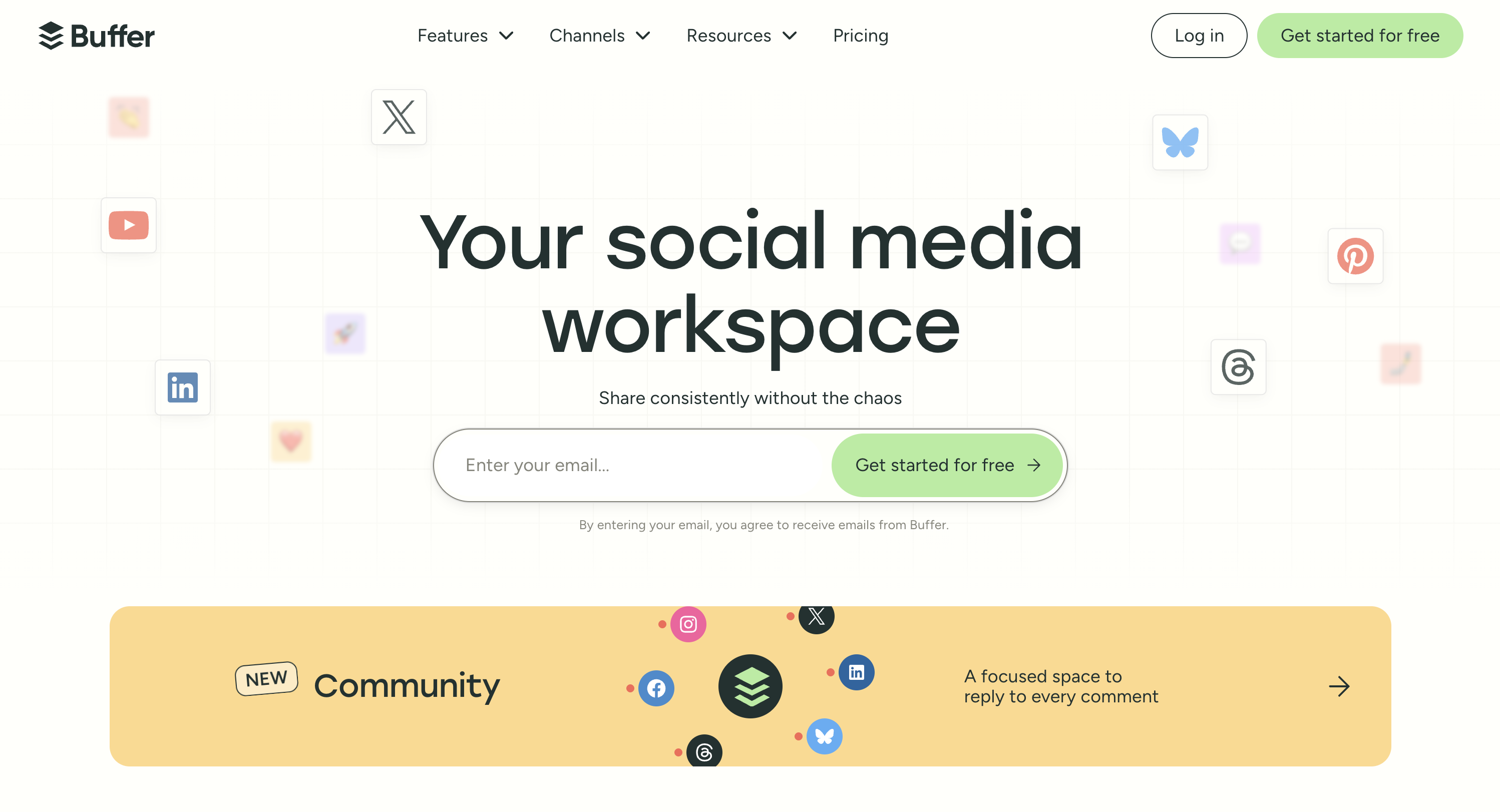
- Platforms: 11 including Pinterest, Google Business, Bluesky, Mastodon
- Free trial: Free plan available, no credit card required
- Best for: Solo creators leaving Planoly for budget reasons or broader platform coverage — Buffer offers a free plan, the simplest workflow, and includes Bluesky and Google Business that Planoly doesn't support
Buffer is one of the oldest social media schedulers, known for its clean interface and beginner-friendly design. For Planoly users who feel the 60-upload cap is too restrictive or want broader platform coverage at a lower price, Buffer's free plan and per-channel pricing are a clean fit.
Buffer Pricing
| Plan | Price | Channels |
|---|---|---|
| Free | $0/month | 3 channels |
| Essentials | $6/channel/month | Unlimited |
| Team | $12/channel/month | Unlimited |
Key Features
- 11 platforms including Pinterest, Google Business, Bluesky, and Mastodon
- Community inbox for managing comments and DMs (Essentials+)
- AI Assistant for caption generation
- Hashtag manager and first comment scheduling
- Dedicated mobile app for iOS and Android
- Start Page link-in-bio tool
How It Compares to Planoly
Buffer and Planoly target different audiences. Planoly is IG-first visual planning at $16–$55/mo; Buffer is per-channel scheduling at $6/channel/mo across 11 platforms. For a solo creator on 3 platforms (IG + Pinterest + LinkedIn), Buffer Essentials at $18/mo (annual) vs Planoly Growth at $28/mo is meaningful savings — and Buffer adds Bluesky, Google Business, and Mastodon that Planoly doesn't have.
Trade-offs: Buffer doesn't have anything close to Planoly's IG grid planner. Sellit creator commerce, Automate IG DMs, and Amazon Posts are all Planoly-specific. For aesthetic-first IG creators, Planoly's visual planning is more polished. For everyone else on a budget, Buffer wins on breadth and price.
What users say: 4.3/5 on G2 (1,023 reviews), 2.1/5 on Trustpilot (93 reviews). G2 reviewers value simplicity; Trustpilot complaints concentrate on scheduled posts failing to publish.
For more details, see our Buffer alternative page, Buffer pricing breakdown, and Buffer reviews.
5. Tailwind — Best for Pinterest-First Creators
At a glance — Tailwind
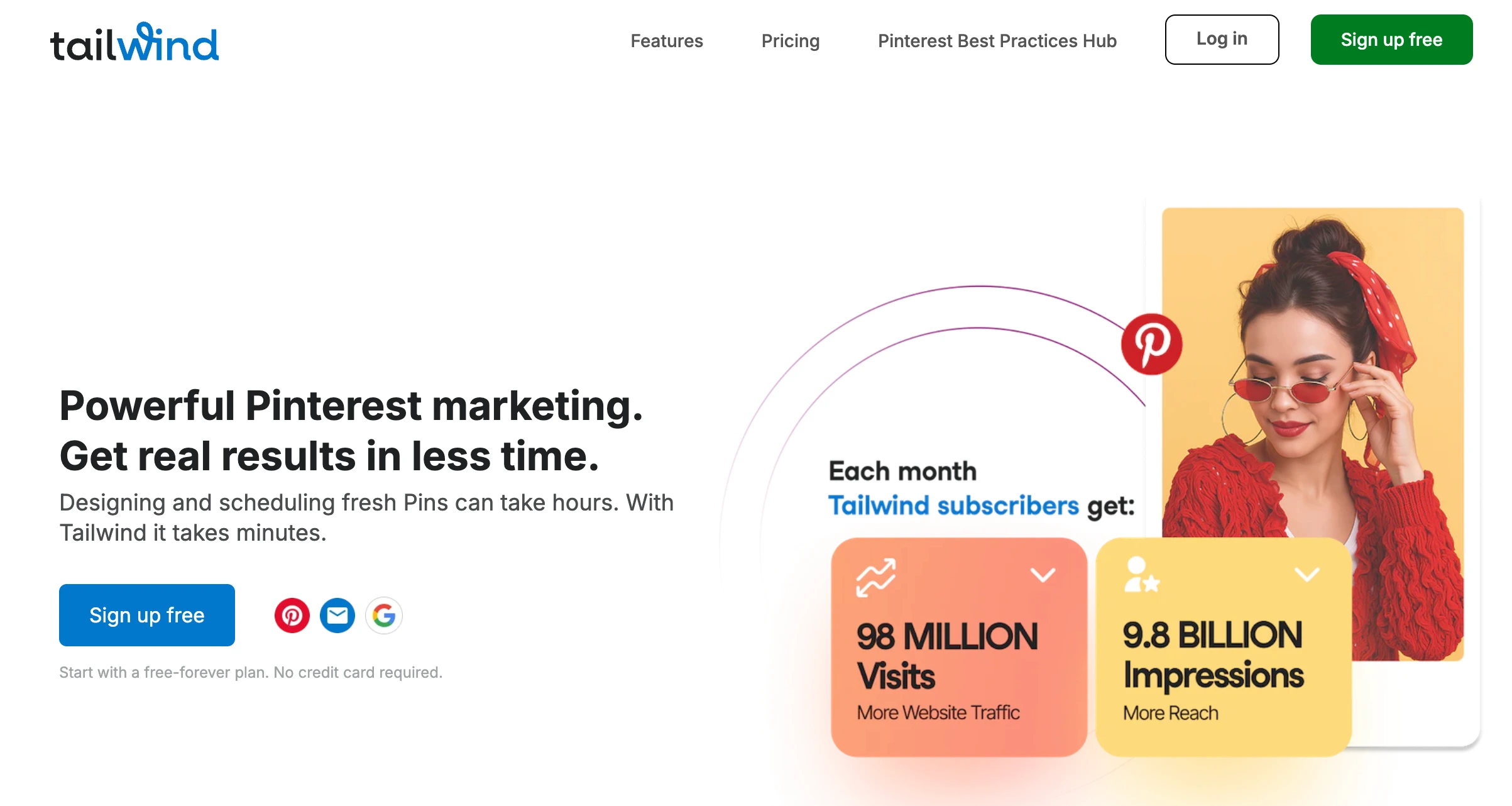
- Platforms: 3 ONLY (Pinterest, Instagram, Facebook)
- Free trial: Free Forever plan available
- Best for: Pinterest-heavy creators who landed on Planoly specifically for Pinterest publishing — Tailwind is the Pinterest specialist with SmartLoop scheduling, Tribes, and Pinterest-native intelligence Planoly doesn't match
Tailwind is the Pinterest specialist. Where Planoly is a generalist IG-first tool with Pinterest publishing as one of many features, Tailwind is a Pinterest-native platform built around SmartLoop scheduling, Tailwind Tribes for collaborative repinning, and deep Pinterest intelligence.
Tailwind Pricing
| Plan | Price (annual) | Users |
|---|---|---|
| Free Forever | $0/mo | 1 |
| Pro | $24.99/mo | 1 |
| Advanced | $49.99/mo | 3 |
| Max | $89.99/mo | Unlimited |
Key Features
- Pinterest-native scheduling with optimal time recommendations
- SmartLoop for repinning evergreen Pinterest content
- Tailwind Tribes — collaborative content discovery and sharing
- Pinterest analytics with Pin Inspector
- Tailwind Create — AI-powered design tool for Pinterest pins
- Instagram and Facebook scheduling added later
- NO X/Twitter, NO LinkedIn, NO TikTok, NO YouTube — only 3 platforms
How It Compares to Planoly
Tailwind and Planoly compete on Pinterest specifically. Tailwind's Pinterest workflow depth is unmatched in the category — SmartLoop, Tribes, and Pin Inspector are Pinterest-native features Planoly doesn't have. For Pinterest-heavy creators (especially those leveraging Pinterest for blog traffic, affiliate marketing, or e-commerce), Tailwind is the clear specialist choice.
Trade-offs: Tailwind only supports 3 platforms (Pinterest, Instagram, Facebook). Planoly supports 9. If your workflow extends beyond those 3 platforms, you need a second tool with Tailwind — adding LinkedIn, YouTube, TikTok, X, or Threads all require switching tools.
What users say: 4.4/5 on G2 (96 reviews), 4.6/5 on Capterra (510+ reviews). Pinterest creators praise SmartLoop and Tribes; common complaints focus on the platform count (3) and feature parity gaps between Pinterest and the other platforms.
For more details, see our Tailwind alternative page, Tailwind pricing breakdown, and Tailwind reviews.
PostPlanifyAll your social media in one simple dashboard
Schedule posts, track analytics, and reply to comments/DMs without switching tabs.
Engagement
+18%
Views
52.8k
6. Publer — Best Budget All-in-One With AI
At a glance — Publer
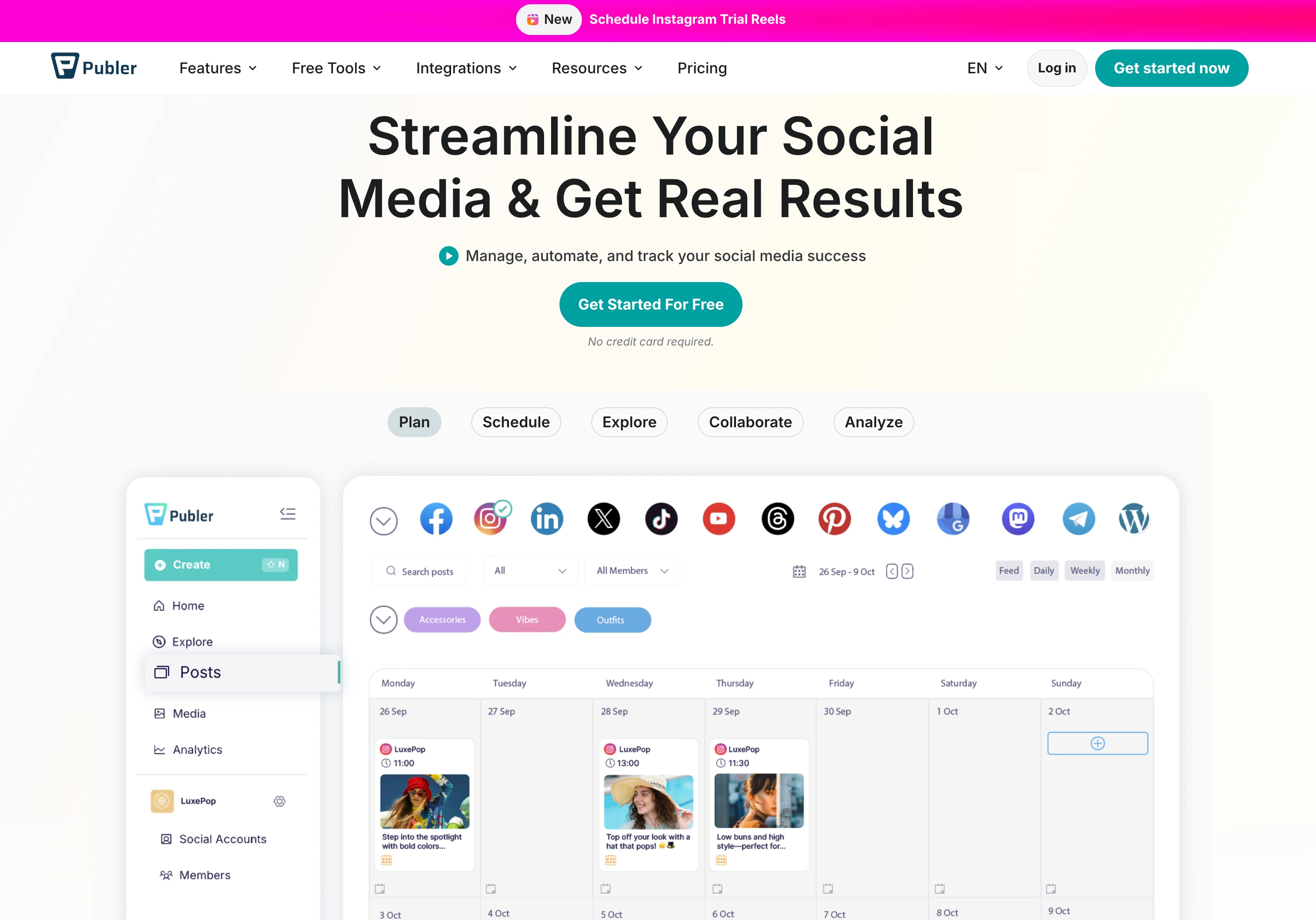
- Platforms: 13 including Pinterest, WordPress, Telegram, Mastodon, Bluesky, Google Business
- Free trial: Free plan available, no credit card required
- Best for: Budget creators leaving Planoly who want AI image generation (Planoly doesn't offer), broader 13-platform coverage including Bluesky, and a real free plan — at $12–$21/mo
Publer is one of the cheapest capable schedulers in the category. Its Business plan at $21/mo includes GPT-4 AI captions, DALL-E 3 image generation, analytics, and 13 platforms — features Planoly doesn't offer (AI image generation) or doesn't support (Bluesky, Mastodon, Telegram, WordPress).
Publer Pricing
| Plan | Price | Social Accounts |
|---|---|---|
| Free | $0/month | 3 |
| Professional | $12/mo | 3 + $4/extra |
| Business | $21/mo | 3 + $7/extra |
Key Features
- 13 platforms — the broadest list on this list — including Pinterest, Bluesky, WordPress, Telegram, Mastodon, Google Business
- GPT-4 AI captions and DALL-E 3 image generation (Business)
- Bulk scheduling and CSV import
- Link-in-bio tool
- Recurring posts and content recycling (Business)
- Free plan with 3 accounts (no X)
How It Compares to Planoly
Publer wins on price + AI + platform breadth. Publer Business at $21/mo includes DALL-E 3 image generation that Planoly doesn't have on any tier, and 13 platforms (vs Planoly's 9 including 2 reminder-only). Publer's free plan with 3 accounts is more generous than Planoly's Starter cap of 60 uploads/month.
Where Planoly still wins: the IG grid planner, Sellit creator commerce, Automate Instagram DMs, and the official Instagram/Pinterest partnership are all Planoly-specific. For aesthetic-first IG planning + creator commerce, Planoly remains a stronger tool. For everyone else on a budget who wants AI image generation, Publer delivers more for less.
What users say: 4.7/5 on G2 (486 reviews), 4.8/5 on Trustpilot (863 reviews). One of the highest-rated tools across both platforms. Users praise the value and AI features.
For more details, see our Publer alternative page, Publer pricing breakdown, and Publer reviews.
7. Iconosquare — Best for Deep Instagram Analytics
At a glance — Iconosquare
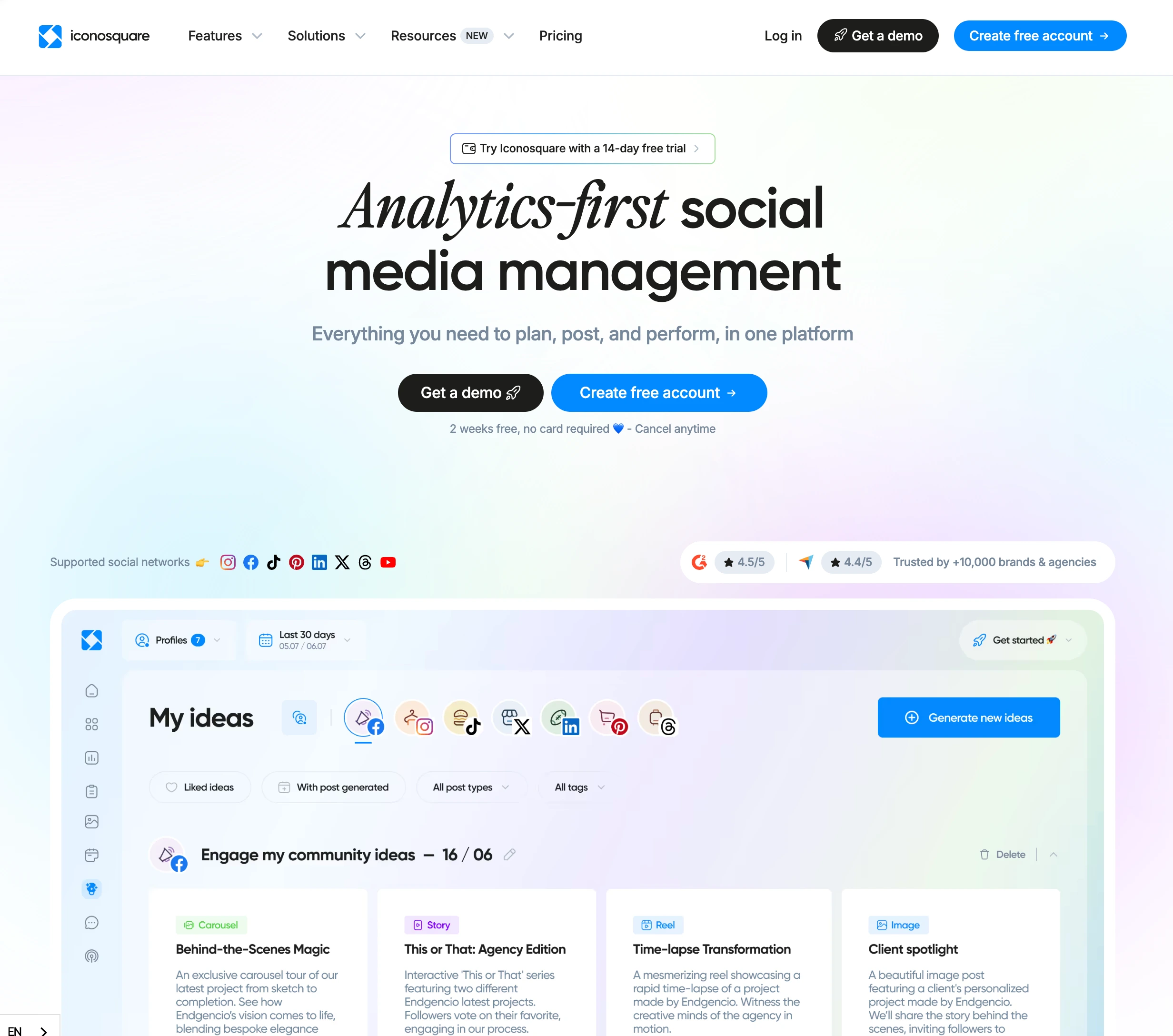
- Platforms: 9 including Pinterest, Google Business, TikTok, Threads
- Free trial: Yes (2 profiles)
- Best for: Instagram-heavy creators leaving Planoly for deeper analytics — Iconosquare addresses the analytics gap flagged in Planoly's own G2 review summary
Iconosquare is the analytics-first alternative to Planoly. Where Planoly's own G2 review summary explicitly flags analytics as a gap ("some users note that the analytics features could be more comprehensive"), Iconosquare's reporting depth, competitor benchmarking, and hashtag analytics directly fill that hole.
Iconosquare Pricing
| Plan | Price | Social Profiles |
|---|---|---|
| Pro | $39/month | 2 |
| Advanced | $79/month | 5 |
| Enterprise | Custom | Custom |
Key Features
- Deep Instagram analytics with audience insights
- Competitor benchmarking — track competitor accounts side-by-side
- Hashtag analytics and tracking
- Scheduling and feed preview
- Conversation tracking for IG/FB comments and DMs
- Custom reports with branded export
How It Compares to Planoly
Iconosquare wins on analytics depth, especially for Instagram-heavy creators. Where Planoly's analytics are oriented around IG engagement basics, Iconosquare adds audience insights, competitor benchmarking, and hashtag tracking — features that genuinely improve content strategy decisions on IG.
The trade-off: Iconosquare's scheduling and visual planning aren't as polished as Planoly's grid planner. There's also no Sellit-equivalent commerce layer. For pure IG aesthetic planning + creator commerce, Planoly is more focused; for IG analytics and competitor intelligence, Iconosquare is the upgrade.
What users say: 4.3/5 on G2. Praised for analytics depth and IG-specific reporting; complaints focus on the price point relative to scheduling-only tools.
For more details, see our Iconosquare alternative page, Iconosquare pricing breakdown, and Iconosquare reviews.
8. SocialBee — Best for Evergreen Content Recycling
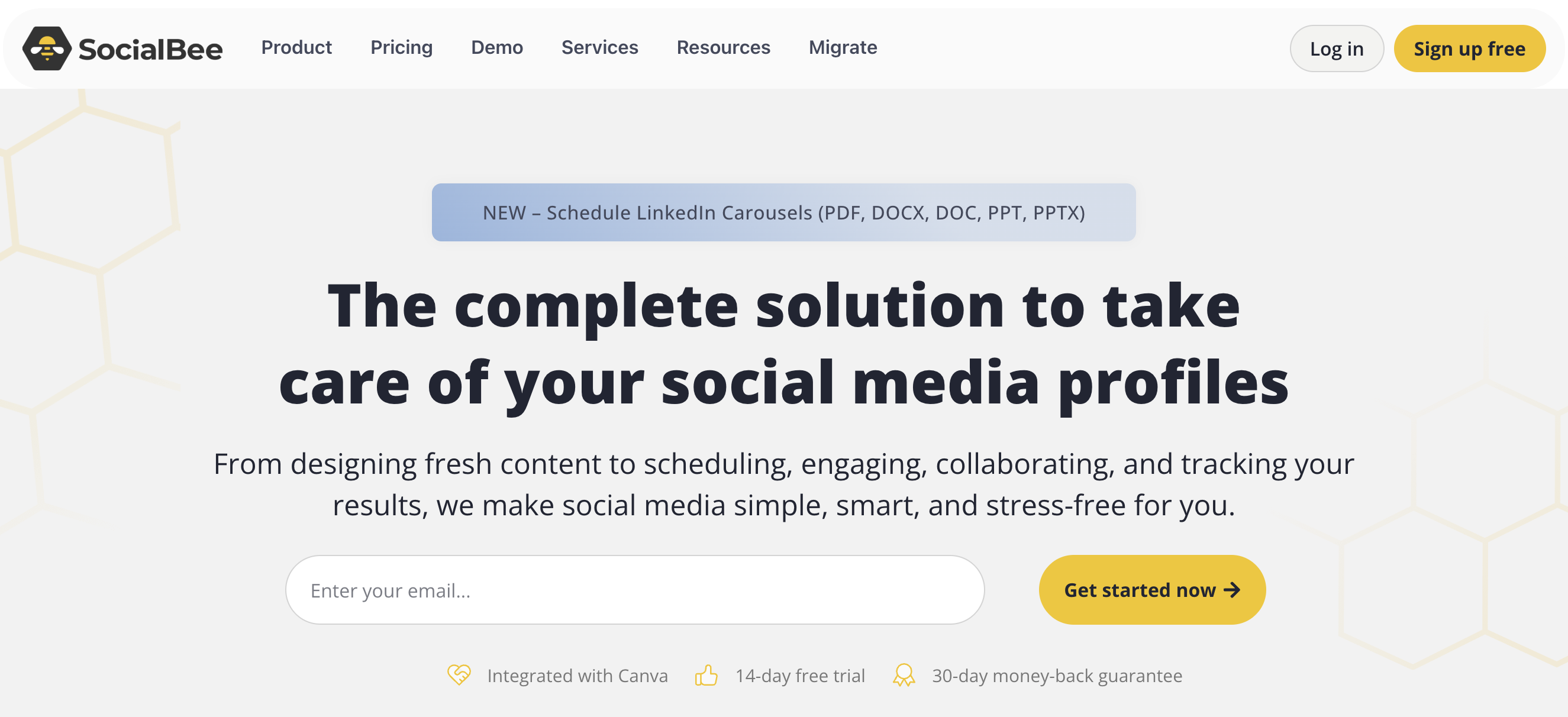
At a glance — SocialBee
- Platforms: 10 including Pinterest, Google Business, Bluesky, Threads
- Free trial: 14 days, no credit card required
- Best for: Content marketers and creator-economy users with evergreen content libraries who want category-based recycling — a workflow Planoly doesn't offer
SocialBee leads with category-based content recycling. Instead of a linear queue, you organize posts into themed categories and SocialBee automatically rotates through them — a workflow Planoly doesn't compete on.
SocialBee Pricing
| Plan | Monthly | Annual (per month) | Social Profiles |
|---|---|---|---|
| Bootstrap | $29/mo | $24.20/mo | 5 |
| Accelerate | $49/mo | $40.80/mo | 10 |
| Pro | $99/mo | $82.50/mo | 25 |
Key Features
- Category-based scheduling with automatic content rotation
- Evergreen post recycling — content republishes on a set cycle
- 10 platforms including Pinterest, Google Business, Bluesky, Threads — broader than Planoly
- Copilot AI for content suggestions
- Approval workflows included for teams
- RSS feed automation
How It Compares to Planoly
SocialBee solves a different job than Planoly. Planoly is visual planning + IG aesthetic curation + creator commerce; SocialBee is content recycling + queue automation. If you've built an evergreen content library (educational posts, tips, promotional content) and want it to recycle on schedule, SocialBee's category system is purpose-built for that workflow.
SocialBee also supports Bluesky (which Planoly doesn't) and includes approval workflows — features Planoly doesn't offer. For teams that don't need IG grid planning specifically, SocialBee delivers a different workflow at competitive pricing.
What users say: 4.8/5 on G2 (472 reviews), 4.0/5 on Trustpilot (43 reviews). One of the highest-rated tools on this list. Praised for content recycling and customer support.
For more details, see our SocialBee alternative page, SocialBee pricing breakdown, and SocialBee reviews.
9. Pallyy — Best Budget Visual Planner
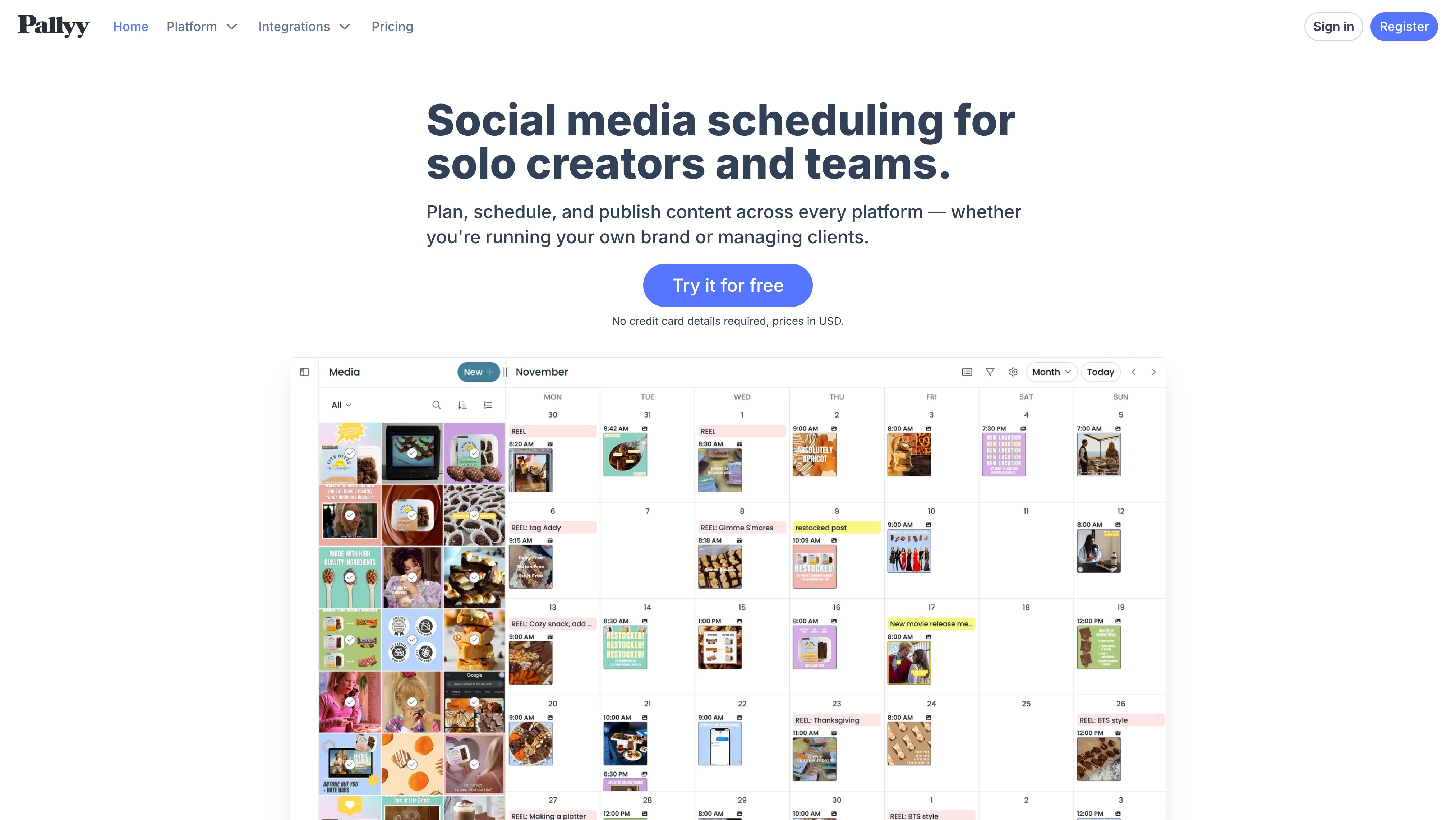
At a glance — Pallyy
- Platforms: 9 including Pinterest, TikTok, LinkedIn, Threads, Google Business
- Free trial: Free plan available
- Best for: Budget-conscious creators who want a Planoly-style visual planner at lower cost — Pallyy's Pro plan at $25/mo gives unlimited posts vs Planoly Starter's 60-upload cap at $16/mo
Pallyy is positioned as the budget visual planner alternative. Like Planoly, it leads with the Instagram grid view and visual planning workflow — but at flat-tier pricing without the per-upload cap.
Pallyy Pricing
| Plan | Price | Social Sets |
|---|---|---|
| Free | $0/month | 1 (15 posts/mo) |
| Starter | $15/month | 1 (max 2 accounts, 20 posts/mo) |
| Pro | $25/month | 1 (up to 10 accounts, unlimited posts) |
| Agency | $99/month | 10 sets (3 users) |
| Scale | $199/month | 30 sets (10 users) |
Extra social sets cost $10/month each.
Key Features
- Instagram grid planner with drag-and-drop
- 9 platforms including Pinterest, Threads, Google Business
- Visual content calendar
- Bio link builder (Pallyy Link)
- Hashtag manager and analytics
- Free plan for testing the workflow
How It Compares to Planoly
Pallyy and Planoly are direct peers on visual planning. Pallyy's Pro plan at $25/mo gives you unlimited posts (no 60-upload cap) and 1 social set with up to 10 accounts across 9 platforms. Planoly Starter at $16/mo gives you 60 uploads/month and 1 social set. Pallyy Pro costs more than Planoly's entry tier but removes the upload ceiling and adds a social inbox, approvals, and a shared calendar.
Pallyy also supports Google Business (Planoly doesn't). Trade-offs: Pallyy doesn't have Sellit-equivalent commerce, doesn't have Amazon Posts support, and the IG grid planner is solid but less polished than Planoly's flagship workflow. For pure budget visual planning with unlimited posts, Pallyy wins. For Planoly's specific Sellit + IG DM automation feature mix, Planoly is more featureful.
What users say: 4.6/5 on G2 (60+ reviews). Praised for value and visual planning; common complaints focus on missing creator commerce and lighter analytics than category leaders.
For more details, see our Pallyy alternative page, Pallyy pricing breakdown, and Pallyy reviews.
10. Loomly — Best for Visual Workflow & Approvals
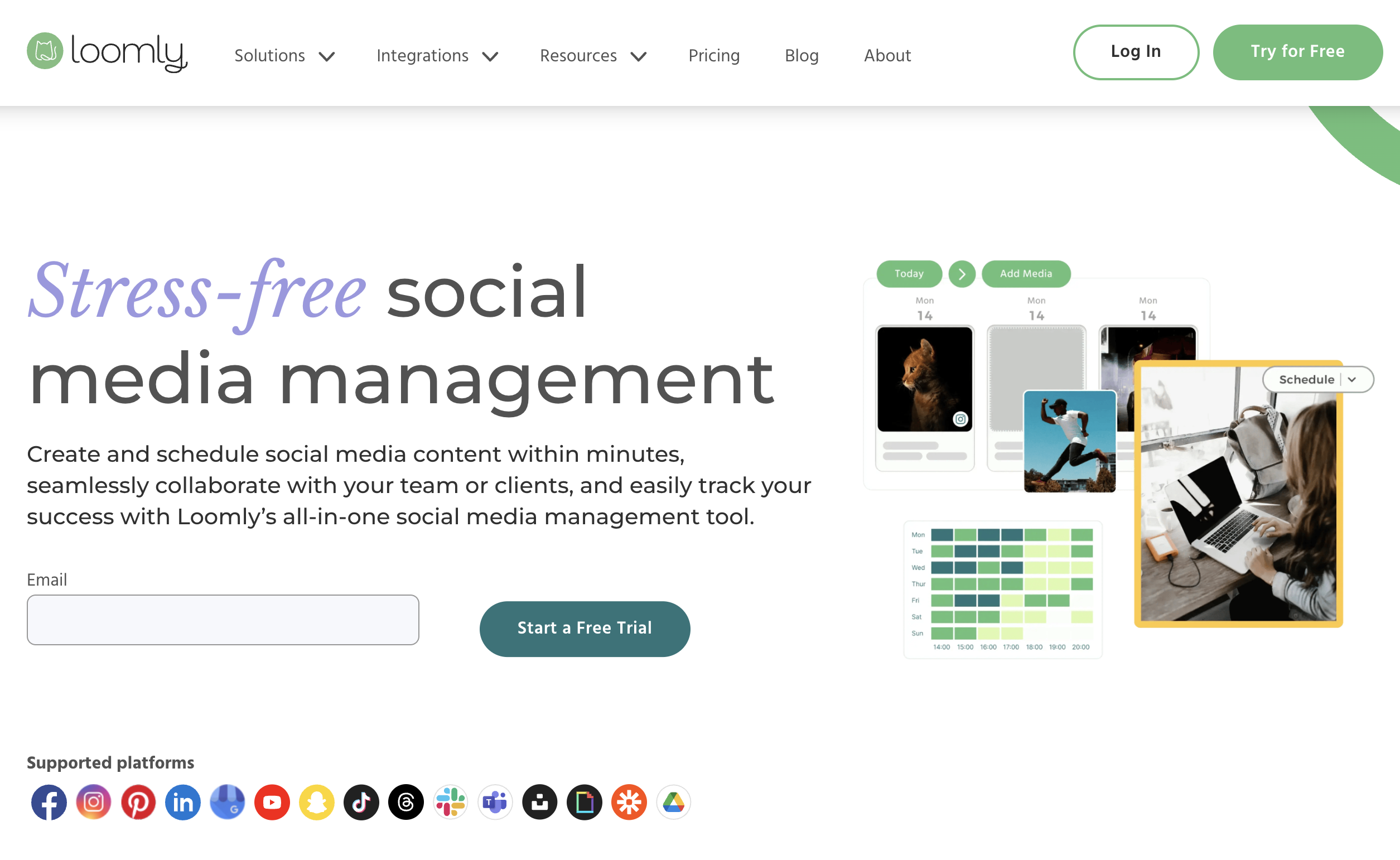
At a glance — Loomly
- Platforms: 10 including Pinterest, TikTok, YouTube, Threads, Google Business, Snapchat
- Free trial: 15-day trial, no credit card required
- Best for: Creators and small teams who want visual workflow + approval workflows included — Planoly has no approval workflows on any tier
Loomly is built around visual workflow and approval processes. Where Planoly is pure visual planning without team workflow features, Loomly adds post-by-post approval, content suggestions, and an "Interactions" inbox.
Loomly Pricing
| Plan | Price | Social Accounts | Users |
|---|---|---|---|
| Base | $42/month | 10 | 2 |
| Standard | $80/month | 20 | 6 |
| Advanced | $175/month | 35 | 14 |
| Premium | $369/month | 50 | 27 |
| Enterprise | Custom | Custom | Custom |
Key Features
- Visual workflow editor with drag-and-drop scheduling
- Approval workflows included on every plan
- Interactions inbox for comments and DMs
- Content suggestions by trending topic
- 10 platforms including Pinterest, Threads, Google Business
- Post previews for each platform
- Custom roles and permissions
How It Compares to Planoly
Loomly and Planoly target different needs. Planoly is solo-creator visual planning; Loomly is small-team workflow with approval processes. Loomly Base at $42/mo (10 accounts, 2 users) vs Planoly Growth at $28/mo (2 social sets, 2 users) — Loomly is meaningfully more expensive but includes approval workflows that Planoly has none of.
For solo creators, Loomly is overkill — pay for features you don't need. For small teams or agencies that need post-by-post approval, Loomly is the cleaner choice.
What users say: 4.6/5 on G2 (1,800+ reviews), 4.7/5 on Capterra (490+ reviews). Praised for approval workflows and content suggestions; complaints focus on UI dated relative to Planoly/Later.
For more details, see our Loomly alternative page, Loomly pricing breakdown, and Loomly reviews.
11. Metricool — Best for Multi-Platform Analytics & Scheduling
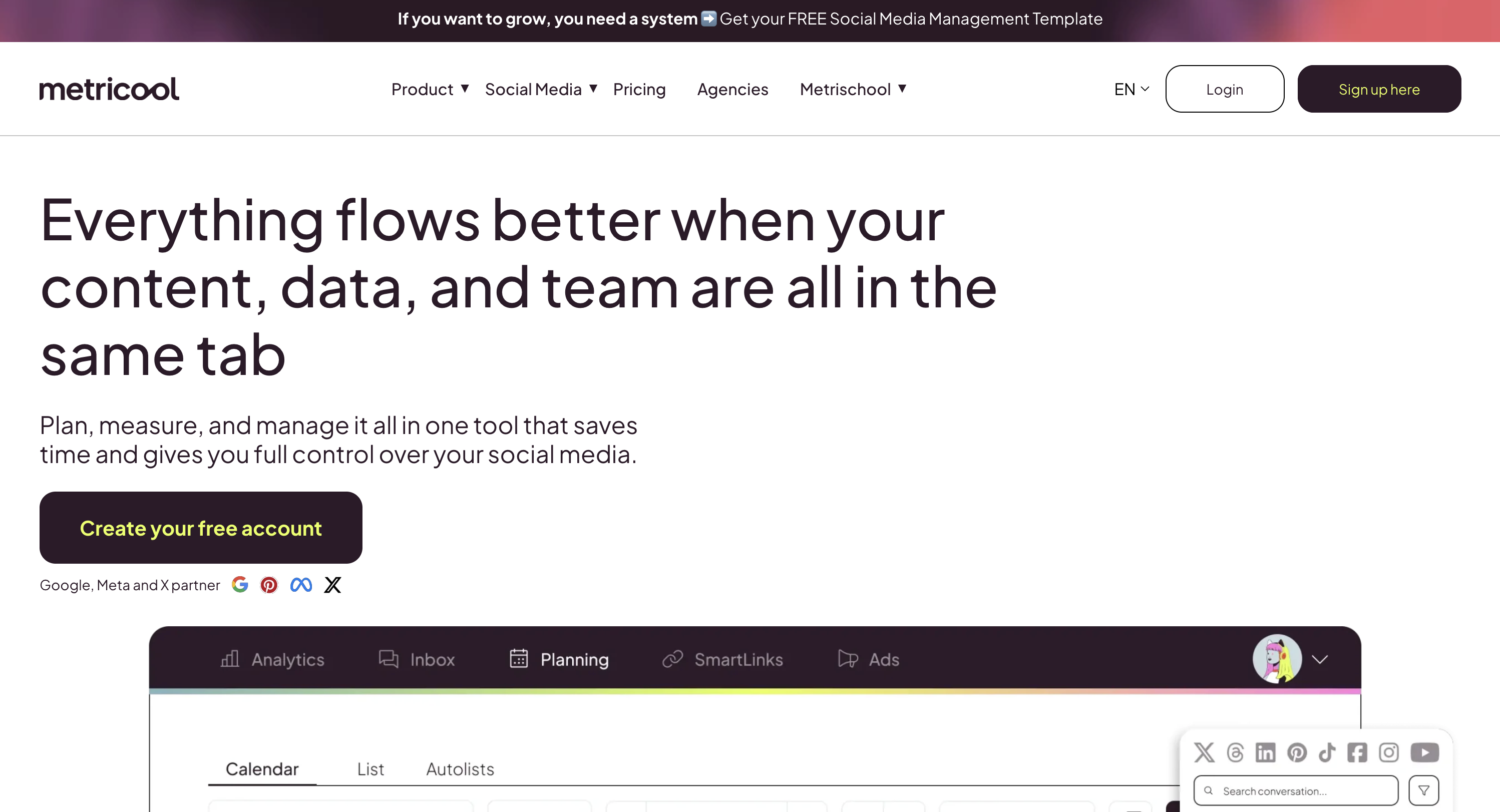
At a glance — Metricool
- Platforms: 9+ including Pinterest, TikTok, YouTube, Threads, Twitch, Google Business
- Free trial: Free plan available
- Best for: Multi-platform analysts who want deeper cross-network performance reporting than Planoly's IG-focused analytics — at competitive pricing
Metricool is positioned as analytics-first multi-platform scheduling. Where Planoly's analytics are flagged in G2's own review summary as a gap, Metricool leads with deep cross-platform reporting and competitor analysis.
Metricool Pricing
| Plan | Price (annual) | Brands |
|---|---|---|
| Free | $0/month | 1 |
| Starter | $22/mo | 5 |
| Advanced | $44/mo | 25 |
| Custom | $99+/mo | Custom |
Key Features
- Multi-platform analytics with cross-network reporting
- Competitor analysis with benchmarking
- 9+ platforms including Twitch (rare), Google Business, Threads
- Content planner with calendar view
- Inbox for comments and DMs
- AI assistant for content ideas
- Free plan with full feature access
How It Compares to Planoly
Metricool wins on multi-platform analytics depth — the area Planoly's own G2 reviewers flag as weak. For brands and creators tracking performance across multiple networks (not just Instagram), Metricool's reporting is meaningfully more comprehensive.
Trade-offs: Metricool doesn't have anything close to Planoly's IG grid planner or Sellit creator commerce. For pure aesthetic-first IG planning + product selling, Planoly remains stronger. For multi-platform analytics + budget pricing + free plan, Metricool is the cleaner choice.
What users say: 4.6/5 on G2, 4.6/5 on Capterra. Praised for analytics depth and value; common complaints focus on UI complexity.
For more details, see our Metricool alternative page, Metricool pricing breakdown, and Metricool reviews.
12. Planable — Best for Visual Content Approval

At a glance — Planable
- Platforms: 9 including Pinterest, Google Business, Threads (no Bluesky)
- Free trial: Free plan available
- Best for: Teams and client-agency setups where multi-stakeholder content approval is the core workflow — Planoly has no approval workflows on any tier
Planable is the content-approval-first alternative to Planoly. It's the closest thing to "Google Docs for social media" — designed for teams where multiple stakeholders need to review and approve content before publishing.
Planable Pricing
| Plan | Price | Pages |
|---|---|---|
| Free | $0/month | 50 total posts |
| Basic | $39/workspace/mo | 4 |
| Pro | $59/workspace/mo | 10 |
| Enterprise | Custom | Unlimited |
Key Features
- 9 platforms supported including Pinterest, Google Business, Threads
- Visual content approval with side-by-side previews
- Unlimited users on all paid plans
- Multi-level approval workflows (none, optional, required, multi-level)
- Content labels and filters for organizing posts by campaign
- Universal content support (social, blogs, newsletters, ads)
How It Compares to Planoly
Planable and Planoly solve different jobs. Planoly is solo-creator visual planning; Planable is team-collaboration content approval. If 3–5 people need to review every piece of content before it goes live, Planable's purpose-built approval UX is much stronger than Planoly's solo-creator workflow.
Planable's unlimited users on every paid plan is a standout. For approval-heavy agencies and content teams, Planable Pro at $59/workspace (unlimited users) is purpose-built. The trade-off: Planable has no social inbox, no creator commerce, no IG DM automation — it's a collaboration tool, not a creator-economy platform.
What users say: 4.6/5 on G2 (937 reviews), 4.5/5 on Trustpilot (69 reviews). Consistently praised for visual approval experience and unlimited users.
For more details, see our Planable alternative page, Planable pricing breakdown, and Planable reviews.
PostPlanifyAll your social media in one simple dashboard
Schedule posts, track analytics, and reply to comments/DMs without switching tabs.
Engagement
+18%
Views
52.8k
Which Alternatives Keep Planoly's Instagram Grid Planner?
The drag-and-drop grid (feed) preview is the workflow most Planoly users don't want to lose when they switch. These alternatives keep a real Instagram grid/feed planner:
- PostPlanify — includes an Instagram grid (feed) preview for planning your layout, alongside the full scheduling, analytics, social inbox, and AI suite. The best fit if you want the grid and everything Planoly lacks: Bluesky, Google Business, AI image generation, approvals, and white-label reports.
- Later — the closest like-for-like to Planoly's drag-and-drop grid, with mature Linkin.bio influencer tools. The most natural pure visual-planner swap.
- Sked Social — IG aesthetic curation plus a shoppable Sked Link with native product tagging.
- Iconosquare — a grid/feed preview paired with the deepest Instagram analytics on this list.
- Pallyy — the budget grid planner, with unlimited posts on its $25/mo Pro plan (Starter from $15/mo).
The rest (Buffer, Tailwind, Publer, SocialBee, Loomly, Metricool, Planable) give you a visual content calendar rather than a dedicated Planoly-style IG grid planner. If grid planning is your single most important Planoly workflow, start with PostPlanify (grid plus the full platform) or Later (closest direct match).
Full Pricing Comparison: All 12 Planoly Alternatives
Here is a side-by-side pricing comparison to help you find the right tool for your budget.
| Tool | Starting Price | Mid Tier | Pro Tier | Free Plan |
|---|---|---|---|---|
| Planoly | $16/mo Starter (1 user, 60 uploads) | $28/mo Growth (2 users, unlimited uploads) | $55/mo Pro (6 users, 6 sets) | "Try It Free" trial |
| PostPlanify | $99/mo Growth (3 users, 15 accts) | $199/mo Premium (6 users, 30 accts, approvals) | $299/mo Scale (12 users, 100 accts, white-label) | 7-day trial + 14-day money-back |
| Later | $25/mo Starter | $50/mo Growth | $110/mo Scale | Limited free plan |
| Sked Social | $29/mo Basic | $69/mo Grow | $199/mo Accelerate | 14-day trial |
| Buffer | Free / $6/channel/mo Essentials | $12/channel/mo Team | n/a | Yes (3 channels) |
| Tailwind | Free / $24.99/mo Pro (annual) | $49.99/mo Advanced | $89.99/mo Max | Yes (Free Forever) |
| Publer | Free / $12/mo Professional | $21/mo Business (AI) | n/a | Yes |
| Iconosquare | $39/mo Pro | $79/mo Advanced | Custom Enterprise | Yes (2 profiles) |
| SocialBee | $29/mo Bootstrap | $49/mo Accelerate | $99/mo Pro | 14-day trial |
| Pallyy | Free / $15/mo Starter | $25/mo Pro (unlimited) | $99/mo Agency (10 sets) | Yes |
| Loomly | $42/mo Base | $80/mo Standard | $175/mo Advanced | 15-day trial |
| Metricool | Free / $22/mo Starter | $44/mo Advanced | $99+/mo Custom | Yes |
| Planable | Free / $39/workspace/mo Basic | $59/workspace/mo Pro | Custom Enterprise | Yes (50 posts) |
Key takeaway: Planoly Starter at $16/mo is the cheapest entry tier among visual planners — but the 60-upload/month cap forces upgrades quickly. Pallyy is the closest like-for-like — its $15/mo Starter undercuts Planoly, and its $25/mo Pro removes the upload ceiling entirely. For broader platform coverage on a tighter budget, Publer ($12 Professional, $21 Business with AI) covers 13 platforms for less than Planoly Growth ($28/mo). For full SMM features (social inbox + AI image generation + approvals + white-label reports), PostPlanify Growth at $99/mo delivers categorically more than Planoly Pro at $55/mo. For Pinterest specifically, Tailwind is the specialist.
How Planoly Alternatives Compare by Use Case
Planoly's IG grid planner, Sellit creator commerce, Free Link in Bio on every plan, Automate Instagram DMs, and Amazon Posts support are real strengths. But the reliability complaints, 60-upload cap on Starter, X being reminder-only, absence of Bluesky and Google Business, no social inbox, no AI image generation, no approval workflows, and the analytics gap (flagged in G2's own summary) push many users to look elsewhere. Here is the fastest way to match a tool to your priority:
- Best overall Planoly alternative: PostPlanify — full SMM with social inbox, AI image generation, approvals on Premium, white-label on Scale, 10 platforms including Bluesky and Google Business.
- Best direct visual planner replacement: Later ($25/mo) — closest like-for-like Instagram grid planner with more mature Linkin.bio influencer tools.
- Best for IG aesthetic + shoppable products: Sked Social ($29/mo) — IG grid + Sked Link with native IG product tagging.
- Best for simplicity & free plan: Buffer (Free / $6/channel/mo) — 11 platforms with the simplest UX, includes Bluesky and Google Business.
- Best for Pinterest-first creators: Tailwind ($24.99/mo) — Pinterest specialist with SmartLoop and Tribes.
- Best budget all-in-one with AI: Publer (Free / $12/mo) — 13 platforms with DALL-E 3 image generation on Business.
- Best for deep Instagram analytics: Iconosquare ($39/mo) — fills the analytics gap Planoly's own G2 summary flags.
- Best for evergreen content recycling: SocialBee ($29/mo) — category-based recycling across 10 platforms.
- Best budget visual planner without upload cap: Pallyy (Pro $25/mo) — Planoly-style visual planning with unlimited posts.
- Best for visual workflow + approvals: Loomly ($42/mo) — approval workflows on every plan.
- Best for multi-platform analytics: Metricool (Free / $22/mo) — cross-network reporting at competitive pricing.
- Best for visual content approval: Planable (Free / $39/workspace) — unlimited users + multi-stakeholder approval UX.
How to Choose the Right Planoly Alternative
The best Planoly alternative depends on what matters most for your team. Here is a quick decision framework:
Choose PostPlanify if you want a full social media management platform — social inbox, AI image generation, approvals, white-label reports — across all 10 platforms including Bluesky and Google Business, at flat pricing with a 14-day money-back guarantee.
Choose Later if Instagram visual planning is your core workflow and you want a direct Planoly replacement — Later's grid planner is the closest like-for-like.
Choose Sked Social if you specifically need shoppable IG product tagging (Sked Link is more mature than Planoly's Sellit) and IG Stories direct publishing with link stickers.
Choose Buffer if you want the simplest possible interface with a free plan, broader platform coverage including Bluesky and Google Business, and per-channel pricing.
Choose Tailwind if Pinterest is your primary platform and you would benefit from Pinterest-native SmartLoop scheduling, Tribes, and Pin Inspector intelligence.
Choose Publer if you need a capable scheduler with DALL-E 3 AI image generation, broader platform coverage, and a free plan at $12–$21/mo.
Choose Iconosquare if you're Instagram-heavy and care more about analytics and competitor benchmarking than visual grid planning.
Choose SocialBee if you have a library of evergreen content you want to automatically recycle on a category-based schedule.
Choose Pallyy if you want Planoly-style visual planning without the 60-upload Starter cap — its $25/mo Pro plan gives unlimited posts (Starter from $15/mo).
Choose Loomly if you've outgrown Planoly's solo-creator workflow and need approval workflows + Interactions inbox included.
Choose Metricool if you want deeper multi-platform analytics than Planoly offers, plus a generous free plan.
Choose Planable if multi-stakeholder content review and visual approval are your top priorities — and Planoly's solo-creator positioning doesn't fit.
How to Switch From Planoly to a New Tool
Switching social media tools doesn't have to be disruptive. Here is the general process:
-
Export your content from Planoly. Download your scheduled posts and content library. If you use Sellit or Automate IG DMs, document those configurations separately — they're Planoly-specific and won't transfer.
-
Sign up for your chosen alternative. Most tools on this list offer free trials ranging from 7 to 30 days. PostPlanify adds a 14-day money-back guarantee on every paid plan. Take advantage of the trial to test the workflow before committing.
-
Connect your social media accounts. Link Instagram, Facebook, LinkedIn, X, YouTube, TikTok, Pinterest, Threads, Bluesky, and Google Business as supported. All tools on this list use secure OAuth authentication.
-
Rebuild your visual planning setup. If you're moving to Later, Sked Social, or Pallyy, the IG grid view translates directly. If you're moving to a full SMM platform (PostPlanify, Loomly, Metricool), expect the calendar view to replace the grid-first paradigm.
-
Recreate Link in Bio (if you used Planoly's). Most tools on this list include link-in-bio: PostPlanify (8 themes), Later (Linkin.bio), Sked Social (Sked Link with product tagging), Buffer (Start Page), Pallyy (Pallyy Link).
-
Recreate your posting schedule. Set up your content calendar, time slots, and posting cadence. Our guide on how to schedule social media posts covers this step in detail.
-
Invite your team. Add team members and set permissions (if applicable). Configure approval workflows on tools that support them.
-
Cancel Planoly. Once everything works in the new tool, cancel your Planoly subscription. Coordinate the switch with your billing cycle since annual plans have set commitment periods.
Frequently Asked Questions
What is the best free alternative to Planoly?
Planoly offers a "Try It Free" trial but no permanent free plan. For free plans, Buffer (3 channels), Pallyy (1 social set, limited), Publer (3 accounts), Metricool (1 brand, full features), Tailwind (Free Forever), and Planable (50 posts, unlimited users) are the strongest options. For a broader comparison, see our social media scheduling tools guide.
Is PostPlanify better than Planoly?
It depends on your workflow. PostPlanify provides a full social media management platform — social inbox, AI image generation, approval workflows, white-label reports — across all 10 platforms including Bluesky and Google Business (Planoly supports neither). PostPlanify supports X direct auto-publish (Planoly's X is reminder-only) and has unlimited posts on every plan (Planoly Starter caps at 60 uploads/month). Planoly's Instagram grid planner and Sellit creator commerce are stronger for solo IG-first creator-economy users. Read our full Planoly vs PostPlanify comparison for a detailed breakdown.
Which Planoly alternative has the best Instagram grid planner?
PostPlanify includes an Instagram grid (feed) preview for planning your layout, alongside its full scheduling, analytics, and AI suite. For a like-for-like match to Planoly's drag-and-drop grid specifically, Later is the closest — same visual preview, same IG-first focus, with broader Linkin.bio influencer tools. Sked Social is also a direct peer with strong IG Stories publishing and Sked Link shoppable IG product tagging, Iconosquare pairs a grid preview with deep IG analytics, and Pallyy is the budget option, with unlimited posts on its $25/mo Pro plan.
Which Planoly alternative supports Bluesky?
PostPlanify, Buffer, Publer, SocialBee, and Sendible all support Bluesky publishing. Planoly, Later, Sked Social, Tailwind, Iconosquare, Pallyy, Loomly, Metricool, and Planable do not currently support Bluesky.
Is Planoly worth the price in 2026?
Planoly is worth it for solo Instagram-first creators who specifically value the IG grid planner workflow, Sellit creator commerce for selling digital + physical products, Free Link in Bio on every plan, Automate Instagram DMs for IG DM automation, and Amazon Posts support. The 4.3/5 G2 rating from 67 reviews supports the visual planning quality. It's not a good fit if you need broader platform coverage (no Bluesky, no Google Business, X is reminder-only), AI image generation, a real social inbox, approval workflows, white-label reports, or hands-off reliability — reliability complaints recur across both G2 and Trustpilot.
Does any Planoly alternative offer AI image generation?
Yes. PostPlanify (200/400/800 images/mo on Growth/Premium/Scale), Publer (DALL-E 3 on Business plan $21/mo), Metricool (AI assistant on paid plans), and several other tools offer AI image generation. Planoly does not offer AI image generation on any plan — Smart AI Composer handles captions only.
Which Planoly alternative is cheapest?
For paid plans, Publer Professional ($12/mo), Pallyy Starter ($15/mo), Metricool Starter ($22/mo annual), and Tailwind Pro ($24.99/mo annual) are the cheapest. For free plans, Buffer (3 channels), Publer (3 accounts), Metricool (1 brand, full features), Tailwind (Free Forever), and Planable (50 posts) offer the most useful starting tiers.
What's the most reliable Planoly alternative?
Reliability complaints recur across Planoly's G2 and Trustpilot reviews. Tools with strongest reliability reputations on this list include SocialBee (4.8/5 G2, 4.0/5 Trustpilot), Publer (4.7/5 G2, 4.8/5 Trustpilot), and PostPlanify. Tools with mixed Trustpilot scores (worth flagging): Later (1.7/5 "Bad"), Buffer (2.1/5), and Sked Social (3.6/5 "Average").
Can I switch from Planoly without losing my data?
Yes. Planoly allows you to export scheduled content and your content library. Most alternatives on this list let you import via CSV or rebuild your schedule directly. Sellit (Planoly's commerce layer) and Automate IG DMs are Planoly-specific — you'll need a separate solution for product selling (Shopify, Stripe, Gumroad) and DM automation (ManyChat).
Final Thoughts
Planoly is a strong tool for solo Instagram-first creators who live in the grid view and use Sellit for creator commerce, Automate Instagram DMs for IG-only DM flows, and Free Link in Bio. The 4.3/5 G2 rating supports the visual planning quality, and the Pinterest publishing depth makes it a fit for creators leveraging Pinterest for blog traffic or affiliate marketing. But once your workflow expands beyond solo IG-first content — into approval workflows, broader platform coverage, AI image generation, real analytics depth, or hands-off reliability — Planoly's gaps and recurring reliability complaints push many users to switch. If you want to see what actual users think, our Planoly reviews breakdown covers the most common praise and complaints, including verbatim quotes from G2 and Trustpilot.
The best alternative depends on what matters most: full SMM platform with all 10 platforms including Bluesky (PostPlanify), direct visual planner replacement (Later), IG aesthetic + shoppable products (Sked Social), simplicity and free plan (Buffer), Pinterest specialist (Tailwind), budget AI (Publer), Instagram analytics depth (Iconosquare), content recycling (SocialBee), budget visual without upload cap (Pallyy), workflow + approvals (Loomly), multi-platform analytics (Metricool), or visual content approval (Planable).
Most tools on this list offer free trials, so the best way to decide is to test 2-3 options with your actual workflow before committing. For more social media strategy resources, check out our best social media management platform guide, social media best practices, and social media scheduling tools guide.
Related Reading
- 12 Best NapoleonCat Alternatives in 2026
- 12 Best eClincher Alternatives in 2026
- 12 Best Sked Social Alternatives in 2026
- 12 Best Statusbrew Alternatives in 2026
- 13 Best Later Alternatives in 2026
- 12 Best Pallyy Alternatives in 2026
- 15 Best Buffer Alternatives in 2026
- 16 Best Hootsuite Alternatives in 2026
- 11 Best Agorapulse Alternatives in 2026
- 12 Best SocialBee Alternatives in 2026
- 12 Best Publer Alternatives in 2026
- 12 Best Tailwind Alternatives in 2026
- Planoly Pricing Breakdown
- Planoly Reviews
- Alternative to Planoly
- Best Social Media Management Platform
- Social Media Scheduling Tools Guide
- 14 Best Social Media Automation Tools
- All Alternatives
PostPlanifyAll your social media in one simple dashboard
Schedule posts, track analytics, and reply to comments/DMs without switching tabs.
Engagement
+18%
Views
52.8k
About the Author

Hasan Cagli
Founder of PostPlanify, a content and social media scheduling platform. He focuses on building systems that help businesses, agencies, and teams plan, publish, and manage content and social media more efficiently across platforms.


